

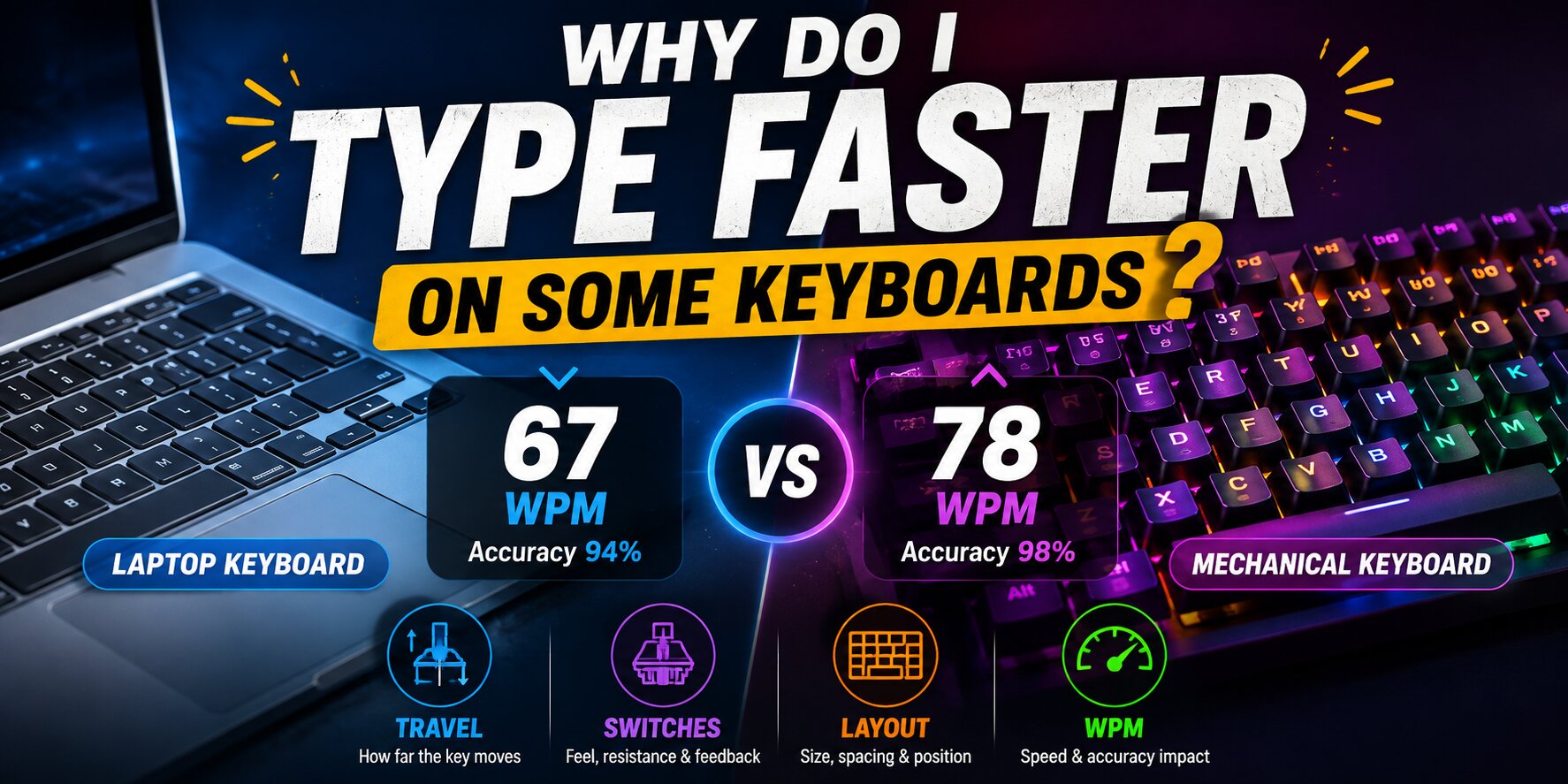
You sit down at one computer and type effortlessly.
Your fingers move quickly, mistakes are rare, and a typing test shows:
78 WPM.
Then you switch to another keyboard.
Nothing about your typing ability has changed, yet suddenly you get:
67 WPM.
You miss keys.
Your rhythm feels strange.
You press Backspace more often.
Even simple words feel less automatic.
So what happened?
Typing speed is not determined only by how fast your brain can process words or how skilled your fingers are. The physical keyboard underneath your hands can influence how comfortable, consistent, and accurate those movements feel.
That does not mean one keyboard can magically turn a 50 WPM typist into a 100 WPM typist.
But two keyboards can absolutely feel different enough to change your short-term performance.
The reason is usually a combination of key travel, spacing, switch resistance, key shape, layout, keyboard height, feedback, and familiarity.
Your Typing Skill Has Not Suddenly Disappeared
The first thing to understand is that a lower score on a different keyboard does not necessarily mean your typing ability became worse.
Your brain builds movement patterns around repeated actions.
If you use the same keyboard every day, you gradually become familiar with details you may not consciously notice:
how far each key moves,
how much pressure is required,
where each key sits,
how large the gaps feel,
and exactly when the key registers.
Eventually, your fingers stop consciously measuring those movements.
They simply know what to expect.
Move to another keyboard and those expectations can become slightly wrong.
A key may activate sooner.
Another may require more force.
The keyboard may be a few millimeters taller.
The keys may be closer together.
Those differences seem tiny, but typing involves hundreds of movements every minute.
Tiny differences can add up.
Familiarity May Matter More Than You Think
Imagine you have used the same laptop every day for three years.
You know its keyboard extremely well.
Then someone gives you an expensive mechanical keyboard.
You expect to type faster immediately.
Instead, your WPM drops.
This does not necessarily mean the mechanical keyboard is worse.
Your fingers have thousands of hours of experience with the laptop keyboard and perhaps only ten minutes of experience with the mechanical one.
That familiarity gives the laptop a major short-term advantage.
A new keyboard often requires an adjustment period.
During the first few sessions, you may:
press keys too hard,
release them too slowly,
hit neighboring keys,
misjudge spacing,
or move your fingers farther than necessary.
After several days, some of those problems may disappear.
This is why comparing two keyboards after one 60-second test can be misleading.
Key Travel Can Change Your Rhythm
Key travel describes how far a key physically moves when you press it.
Laptop keyboards often have relatively short travel.
Traditional mechanical keyboards usually have more.
Low-profile mechanical keyboards sit somewhere between many laptop and full-height mechanical designs.
Short travel can feel fast because your fingers do not need to move very far vertically.
You press.
The key registers.
You move to the next character.
For someone accustomed to a laptop, this can produce a very fast, shallow typing rhythm.
A keyboard with deeper travel may initially feel slower because your fingers expect the key to stop sooner.
But another typist may prefer deeper travel because the movement feels more controlled.
There is no universal amount of travel that guarantees higher WPM.
The important question is:
Which movement allows you to type quickly without losing accuracy?
Actuation Point Is Different From Total Key Travel
A key does not always need to reach the bottom of its movement before the computer registers the press.
The point where the keyboard detects the key is called the actuation point.
On some keyboards, the key registers relatively early.
This means an experienced user may not need to press the key all the way down.
In theory, that can reduce unnecessary movement.
But early actuation is not automatically better for everyone.
If you tend to rest your fingers heavily on the keys, very sensitive switches can cause accidental presses.
You might gain a little speed but lose accuracy.
And once you start correcting those mistakes, the theoretical speed advantage disappears.
This is one reason typing speed vs accuracy matters so much when comparing keyboards. A keyboard that produces your highest peak WPM is not necessarily the one that gives you your best overall typing performance.
Switch Resistance Changes How Much Effort Each Press Requires
Different keyboards require different amounts of force to activate their keys.
A light key can feel effortless.
A heavier key can feel more deliberate.
If the resistance is much heavier than what you normally use, your fingers may initially feel slow.
After hundreds of key presses, you may also notice that your rhythm is different.
But extremely light keys have their own tradeoff.
You may accidentally activate keys while repositioning your fingers.
The goal is not simply:
lighter = faster.
The better question is whether the resistance allows you to type quickly while maintaining control.
For some people that means a light switch.
For others it means a slightly firmer key.
Linear, Tactile and Clicky Switches Feel Different
Mechanical keyboards are often described using three broad switch categories.
A linear switch usually moves smoothly without a noticeable bump.
A tactile switch gives physical feedback around the actuation point.
A clicky switch adds stronger tactile and audible feedback.
None of these automatically produces the highest WPM.
A linear switch may feel extremely smooth to one typist.
Another typist may prefer tactile feedback because it gives a clearer sense that the key has registered.
A clicky keyboard may help someone maintain rhythm while distracting someone else.
Typing performance is personal.
That is why switch preference should not be confused with objective typing skill.
Key Spacing Can Affect Accuracy
Suppose you move from a full-size desktop keyboard to a compact laptop keyboard.
The key spacing feels slightly different.
Your finger aims for:
P
but hits:
O.
Then you try:
M
and accidentally touch:
N.
You know exactly where the letters are.
The problem is not knowledge.
It is movement calibration.
Your fingers have learned distances based on your previous keyboard.
When those distances change, accuracy can temporarily decrease.
Even small spacing differences can become noticeable at higher WPM because you have less time to consciously correct each movement.
At 30 WPM, you may compensate easily.
At 90 WPM, a tiny positioning error can turn into multiple mistakes.
Keycap Shape Can Change How Easily You Find the Center
Keys are not always completely flat.
Some keyboards use keycaps with noticeable curves or sculpted rows.
Others are very flat.
The shape affects how your fingertips feel the center and edges of each key.
A keycap that naturally guides your finger toward the middle may feel more precise.
A flatter key may feel easier to slide across quickly.
Again, neither design automatically wins.
Much depends on your technique and what you are accustomed to.
Your fingertips receive a surprising amount of information from the surface of a keyboard.
That physical feedback helps your brain estimate where your hands are without constantly looking down.
Keyboard Height Can Change Your Hand Position
A laptop keyboard sits almost flat against the desk.
A full-height mechanical keyboard can be much taller.
That changes the relationship between:
your hands,
your wrists,
your desk,
and the keys.
If the keyboard is significantly higher than what you normally use, your hand position may initially feel unfamiliar.
You may unintentionally lift your hands more or change the angle of your wrists.
That can affect how naturally you reach different rows.
This does not mean a tall keyboard is automatically bad.
It means the rest of your setup matters too.
The keyboard cannot be evaluated completely separately from the way you sit and position your hands.
If you want to improve the physical side of your setup, learning how to type without looking at the keyboard and maintaining a stable hand position can be just as important as choosing a specific keyboard.
Layout Size Can Change the Way Your Hands Navigate
A 100% full-size keyboard includes a number pad.
A tenkeyless board removes it.
A 75% keyboard compresses some navigation keys.
A 65% layout becomes even more compact.
The letters may still be positioned almost identically, so why would typing feel different?
Because the overall physical reference points around your hands have changed.
The edge of the keyboard is closer.
The navigation cluster has moved.
Your mouse may sit closer to your typing position.
Some keys may require an Fn layer.
For pure paragraph typing, layout size may not dramatically affect WPM once you are adapted.
But during normal computer use, where you constantly switch between typing, shortcuts, navigation and mouse input, the overall layout can affect efficiency.
Laptop Keyboards Can Be Extremely Fast
There is a common assumption that a mechanical keyboard must be faster than a laptop keyboard.
That is not true for everyone.
Laptop keyboards often provide:
very short travel,
low key height,
relatively small finger movement,
and a familiar compact surface.
Someone who has spent years typing on laptops may be exceptionally fast on them.
It is entirely possible to reach high WPM on a laptop keyboard.
A mechanical keyboard is not a requirement for fast typing.
Your technique and familiarity remain far more important than the label on the keyboard.
If you are wondering whether your current score is actually fast, our guide explaining what is a good typing speed can help you compare different WPM levels.
Mechanical Keyboards Can Also Provide Excellent Typing Performance
Mechanical keyboards are popular for good reasons.
They offer many choices in:
switch resistance,
feedback,
keycaps,
layout,
sound,
and physical feel.
That flexibility allows users to find a combination they enjoy.
A mechanical keyboard that matches your preferences may help you feel more consistent and comfortable.
But buying one does not automatically increase typing speed.
If your technique contains major inefficiencies, a new keyboard will not remove them.
Suppose you currently type:
52 WPM
while looking down at the keyboard every few seconds.
Replacing the keyboard may change the feel.
But the habit of looking down will still interrupt your rhythm.
Improving technique often creates a larger long-term difference than changing hardware.
Why Can a New Keyboard Feel Amazing but Produce a Lower WPM?
This happens frequently.
You buy a keyboard.
It sounds great.
The switches feel smooth.
You enjoy using it.
Yet your first typing test is slower.
There is no contradiction.
Enjoyment and immediate performance are not the same thing.
Your fingers still need time to learn the keyboard.
After several days, your WPM may recover.
After several weeks, you may even become faster than before.
Or you may discover that you simply type better on your old keyboard.
Either outcome is valid.
The only useful way to know is to measure performance over time.
Why Does My WPM Increase When I Return to My Old Keyboard?
Sometimes switching keyboards temporarily makes you more aware of your movements.
Then you return to your familiar keyboard and everything suddenly feels effortless.
Your brain immediately recognizes:
the travel,
the spacing,
the resistance,
and the key positions.
This can create a strong sensation of speed.
You may even set a personal record.
However, one record does not necessarily prove the keyboard is objectively faster.
To compare keyboards properly, you need multiple tests.
Don't Compare Keyboards Using One Test
Imagine comparing Keyboard A and Keyboard B.
You take one test on each.
Keyboard A:
72 WPM / 97% accuracy
Keyboard B:
78 WPM / 92% accuracy
Which keyboard is better?
There is not enough information.
Maybe Keyboard B really is faster.
Or maybe you happened to receive an easier set of words.
Maybe you were more focused.
Maybe the second test benefited from warming up.
Maybe your speed increased but your mistake rate became much worse.
A better comparison uses repeated testing.
For example, perform several 60-second tests on each keyboard across multiple sessions.
Then compare the average.
Average WPM Is More Useful Than One Personal Record
Suppose your results look like this.
Keyboard A:
74 WPM
76 WPM
75 WPM
77 WPM
74 WPM
Keyboard B:
69 WPM
82 WPM
71 WPM
70 WPM
72 WPM
Keyboard B produced the highest single score.
But Keyboard A produced much more consistent performance.
Depending on your goal, Keyboard A may actually be the better typing keyboard for you.
This is why the typing speed test should be used as a measurement tool rather than just a personal-record game.
Look at patterns, not only peaks.
Accuracy Can Reveal Which Keyboard Really Suits You
Imagine two keyboards both produce:
80 WPM.
On the first keyboard you average:
98% accuracy.
On the second:
93% accuracy.
The second may feel fast because your fingers move quickly, but it is also creating many more errors.
If you were writing a real document instead of completing a test, those corrections would cost additional time.
This is another reason raw WPM should not be the only metric you compare.
Consistency and accuracy matter too.
Sound Can Affect Rhythm More Than People Expect
Typing is not only visual and physical.
It is also auditory.
The sound of each keypress creates feedback.
Some people naturally synchronize their rhythm with the sound of the keyboard.
A crisp mechanical sound may make them feel faster.
Others find loud keyboards distracting and perform better on quieter keys.
Sound probably will not transform your fundamental typing ability, but it can influence how comfortable and rhythmic the typing experience feels.
And rhythm matters more as your speed increases.
Keyboard Latency Usually Is Not the Main Limitation for Normal Typing
Gaming keyboards often advertise extremely low latency and high polling rates.
Those features can matter in certain competitive gaming situations.
But for normal typing, the difference between a decent modern keyboard and an ultra-high-performance gaming keyboard is usually not what separates a 50 WPM typist from a 70 WPM typist.
Human typing movement is much slower than the tiny electronic timing differences being advertised.
For most typists, factors such as:
accuracy,
familiarity,
movement efficiency,
and comfort
will matter far more.
Why Can You Type Faster at Work Than During a Typing Test?
Sometimes the keyboard is not actually the reason.
You may feel extremely fast while writing familiar sentences, emails, code, or messages because you already know what you want to say.
A typing test is different.
You must read unfamiliar text and reproduce it.
That adds visual processing.
So when comparing keyboards, make sure you compare them under the same conditions.
Do not compare:
an email on one keyboard
with:
a difficult random-word typing test on another.
Use the same typing speed test format for both.
Language Can Also Change the Result
Typing performance may vary depending on language.
You may be extremely familiar with common English patterns such as:
the
ing
tion
ment
but slower with unfamiliar words.
Another language may contain different letters, accents, or combinations.
Therefore, when testing keyboards, use the same language each time.
Otherwise you are changing two variables at once:
the keyboard
and
the text.
Your Best Keyboard May Change as Your Typing Improves
A keyboard you loved at 40 WPM may not necessarily be your favorite at 90 WPM.
As your typing becomes faster, you become more sensitive to:
key resistance,
stability,
spacing,
and rhythm.
You may start noticing inefficiencies that never bothered you before.
Likewise, a keyboard that initially felt too sensitive may become comfortable once your movements become lighter and more controlled.
Typing preference can evolve with skill.
If you are actively working on moving beyond an intermediate speed, our guide on how to go from 50 WPM to 70 WPM explains how accuracy, rhythm and weak letter combinations can limit progress even when your keyboard feels comfortable.
Should You Buy a New Keyboard to Type Faster?
Not immediately.
First identify the actual problem.
If your keyboard has:
unreliable keys,
missed presses,
double inputs,
poor stability,
or a layout that genuinely interferes with your work,
replacing it makes sense.
But if the keyboard works correctly and your main problems are:
looking at the keys,
frequent mistakes,
poor rhythm,
or inconsistent finger use,
a new keyboard probably will not solve those issues.
Training should come first.
Hardware should support good technique, not replace it.
How to Test Which Keyboard You Type Faster On
The easiest method is to create a controlled comparison.
Use the same test language, same test duration, and similar time of day.
Warm up briefly before both sessions.
Then perform multiple tests rather than one.
For example:
Day 1: Keyboard A
Day 2: Keyboard B
Day 3: Keyboard A
Day 4: Keyboard B
Record:
WPM,
accuracy,
mistakes,
and how comfortable the keyboard felt.
After several sessions, calculate your average.
You may discover something interesting.
The keyboard that feels fastest may not actually produce your highest average WPM.
Give a New Keyboard Time Before Judging It
If you have used one keyboard for years, do not expect a new design to feel completely natural after five minutes.
Give yourself several days of normal use.
Write messages.
Browse.
Work.
Complete a few tests.
Let your fingers learn the dimensions and feedback.
Then evaluate it.
The adjustment period can vary dramatically from person to person.
Some users adapt almost immediately.
Others take much longer.
Comfort and Speed Are Connected, but They Are Not Identical
A keyboard can feel extremely comfortable without producing your maximum WPM.
Another keyboard may feel very fast during a one-minute test but unpleasant during two hours of writing.
Which one is better depends on what you need.
If you write for long periods, sustainable comfort and accuracy may matter more than gaining three additional WPM during a short test.
If you enjoy competitive typing, maximum speed and responsiveness may matter more.
The important thing is to define your goal before deciding which keyboard is “best.”
Final Thoughts: Why Are You Faster on Some Keyboards?You can type faster on one keyboard than another because typing is a learned physical movement.
Your fingers become accustomed to specific:
distances, resistance, travel, spacing and feedback.
When those properties change, your movement patterns need to adjust.
The most important factors are usually not whether a keyboard is expensive or whether it is labeled “gaming,” “mechanical,” or “professional.”
What matters is how naturally you can use it.
A keyboard that fits your habits may help you maintain:
higher accuracy,
better rhythm,
fewer corrections,
and more consistent WPM.
So instead of asking:
“Which keyboard is universally the fastest?”
ask:
“Which keyboard allows me to type fastest and most accurately over repeated tests?”
Run several Keyzira typing tests on each keyboard, compare your average WPM and accuracy, and give unfamiliar keyboards enough time before making your final judgment.